我有一隻 GARMIN,所以我用 Claude Code 試著寫了一個錶面,以下是我學到的東西。 I Have a GARMIN Watch, So I Tried Building a Watch Face with Claude Code—Here's What I Learned
開始之前的重要資訊
Important Information Before We Begin
本文開始前比較重要的小資訊:
Some important notes before we begin:
- 如果只是錶面的話,只要去 GARMIN 的 Connect IQ 進行註冊登入為開發者(跟手錶同樣帳號),只要維持在 Preview 狀態就可以(指App)。
- Mac 要抓手錶內的 screenshot 比較麻煩,需要下載一個能通 MTP 協定的檔案總管,例如 OpenMTP。
- For watch faces only, you just need to register as a developer on GARMIN’s Connect IQ (same account as your watch). You can keep it in Preview status (for the app).
- Capturing screenshots from the watch on Mac is a bit troublesome—you need to download a file manager that supports MTP protocol, such as OpenMTP.
專案的開始
The Beginning of the Project
這篇主要目的在於記錄一下我的開發歷程。
The main purpose of this article is to document my development journey.
一開始我只是想要測試一下 Claude 的 AI 能力到底在哪裡,然後也剛好有一個月的 Pro 試用版,所以開始這個小專案。一開始我沒有料到可以在大約 8 小時的工時之內,能夠做出一款類似錶面的東西,畢竟我從來沒有寫過 Garmin 的程式。
Initially, I just wanted to test Claude’s AI capabilities, and I happened to have a one-month Pro trial, so I started this small project. I didn’t expect to be able to create a working watch face in about 8 hours of work, especially since I had never written any Garmin programs before.
當我正式開始的時候,首先去看了 Garmin 的開發網站,了解大概需要什麼規格,例如 Monkey C 我從來沒有碰過,但它說它長得像 Java;還有需要安裝一個 Garmin 的 SDK 程式。這都不是太大的問題。
When I officially started, I first checked Garmin’s developer website to understand the required specifications. For example, I had never touched Monkey C, but it was described as similar to Java. I also needed to install Garmin’s SDK program. None of this was a major issue.
OK,然後專案開始了。首先我就開了一個資料夾,用官方文件的 init 啟動專案,接著問問看 Claude 是否能幫我開始撰寫 Garmin 的錶面。他的表現還挺好的,很快就偵測出來這個專案在做什麼、需要哪些東西。
OK, then the project began. First, I created a folder and initialized the project using the official documentation’s init command, then asked Claude if it could help me start writing a Garmin watch face. Its performance was quite good—it quickly detected what the project was about and what was needed.
但畢竟是一個全新的專案,Claude 一開始是沒有辦法寫出完整的東西。這很正常。
But since this was a completely new project, Claude couldn’t write something complete at first. This is normal.
尋找參考專案
Finding Reference Projects
所以我就開始在網路上尋找是否有類似的開源專案文件,最好是完成度比較高的錶面,最後找到了類似的案子,以及官方其實也有釋出一款範例的錶面專案。
So I started searching online for similar open-source project documentation, preferably more complete watch faces. I eventually found similar projects, and the official Garmin team had actually released example watch face projects.
- https://github.com/warmsound/crystal-face
- https://github.com/garmin/connectiq-apps/tree/master/watchfaces
我沒有仔細看這兩個專案裡面到底有什麼東西,總之先丟進去專案裡面,製作一個 example 的資料夾,讓 Claude 可以作為參考。
I didn’t carefully examine what was inside these two projects. I just threw them into the project, creating an example folder for Claude to use as reference.
然後這個就是我覺得神奇的地方了,Claude 居然可以閱讀到兩個範例專案的架構,然後給我一些想要實踐功能的參考,並且直接寫出來。
And this is where I found it amazing—Claude was actually able to read the architecture of both example projects, give me references for features I wanted to implement, and write them directly.
從這裡開始,專案才正式跑得比較快,我可以在 Local 端跑出了 Garmin 的 Simulator 畫面,看到了一些東西。
From here, the project started moving faster. I could run the Garmin Simulator locally and see some results.
真正的挑戰:MIP 螢幕
The Real Challenge: MIP Display
接下來才是真正的開始。
This is where the real work began.
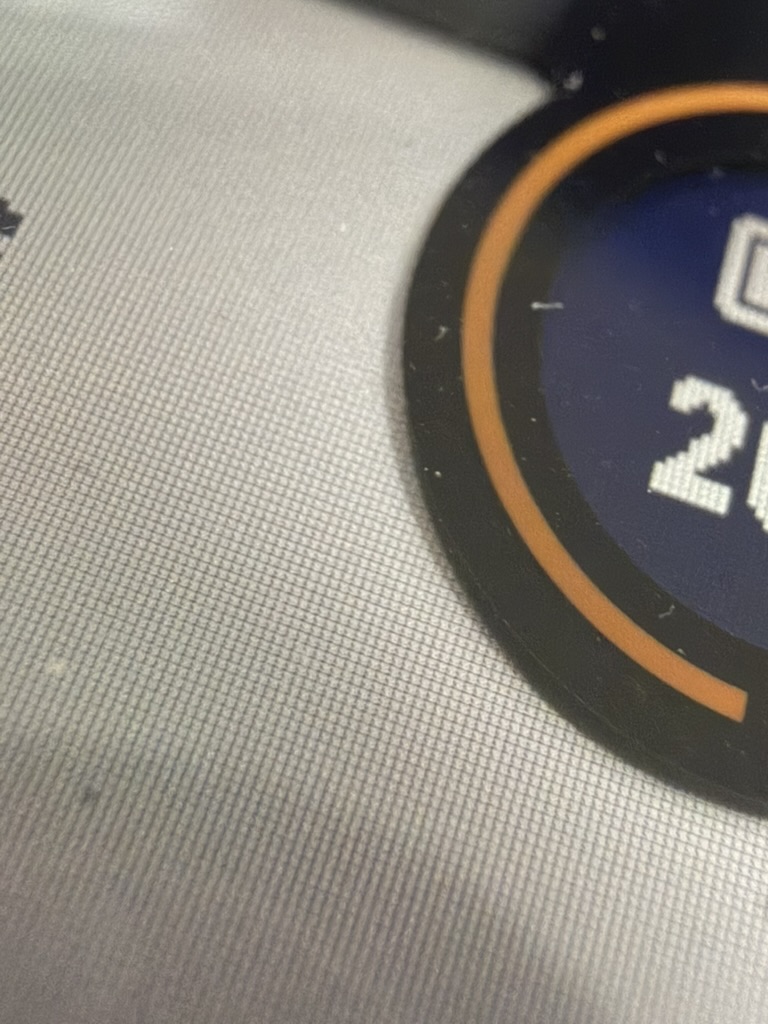
要在 MIP 的螢幕上面繪製內容很不簡單,尤其我的手錶是 Instinct3,它的螢幕形狀並不是一個正圓形(也可能是啦我目前沒有去查),而且在右上角有一塊圓形的區塊。仔細看的話,可以看得出來他的圓形分隔只是在螢幕上另外疊一塊黑色的印刷來遮擋。
Drawing content on an MIP screen is not simple, especially since my watch is the Instinct 3. Its screen shape is not a perfect circle (or maybe it is—I haven’t checked), and there’s a circular area in the upper right corner. If you look closely, you can see that the circular division is just a black overlay printed on top of the screen to mask it.
The MIP screen appears to have a layer on top
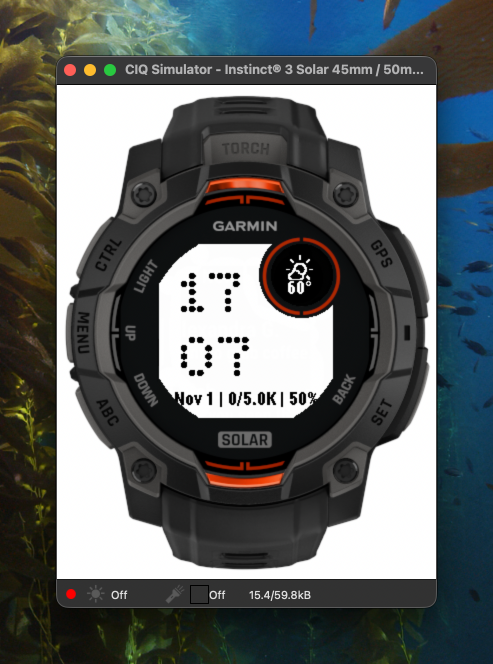
最麻煩的地方在於,他的官方錶盤顯示,好像有一點點沒有對齊。我不確定這是 Garmin 的品管控制還是其他原因,但總之,在螢幕上定位內容,就會是第一個製作錶盤的困難點。所以我多次實驗了那塊圓形應該要多大?位置應該要怎麼調整?
The most troublesome part is that the official watch face display seems to be slightly misaligned. I’m not sure if this is Garmin’s quality control or another reason, but in any case, positioning content on the screen became the first difficulty in making the watch face. So I experimented many times with how big the circular area should be and how to adjust its position.

The circular display position is slightly off-center vertically and horizontally—it’s a bit uncomfortable if you look closely
我告訴 Claude,我需要一個在設定裡面能夠將圓形裡面的物件上下左右進行偏移的設定。
I told Claude that I needed a setting that would allow me to offset objects inside the circle vertically and horizontally.
字型與顯示優化
Fonts and Display Optimization
再來是錶面的內容。首先我顯示了時間,在想要進一步調整顯示文字的時候,發現原來錶盤上的文字,可以使用特殊處理過的字型——Bitmap Fonts。它的用法是將文字輸出成 PNG 的透明圖片,呼叫之後顯示在螢幕上面。根據 AI 告訴我,這樣子比較省記憶體。
Next was the watch face content. First, I displayed the time. When I wanted to further adjust the displayed text, I discovered that text on the watch face can use specially processed fonts—Bitmap Fonts. The method is to output text as transparent PNG images, which are then displayed on the screen. According to the AI, this saves more memory.
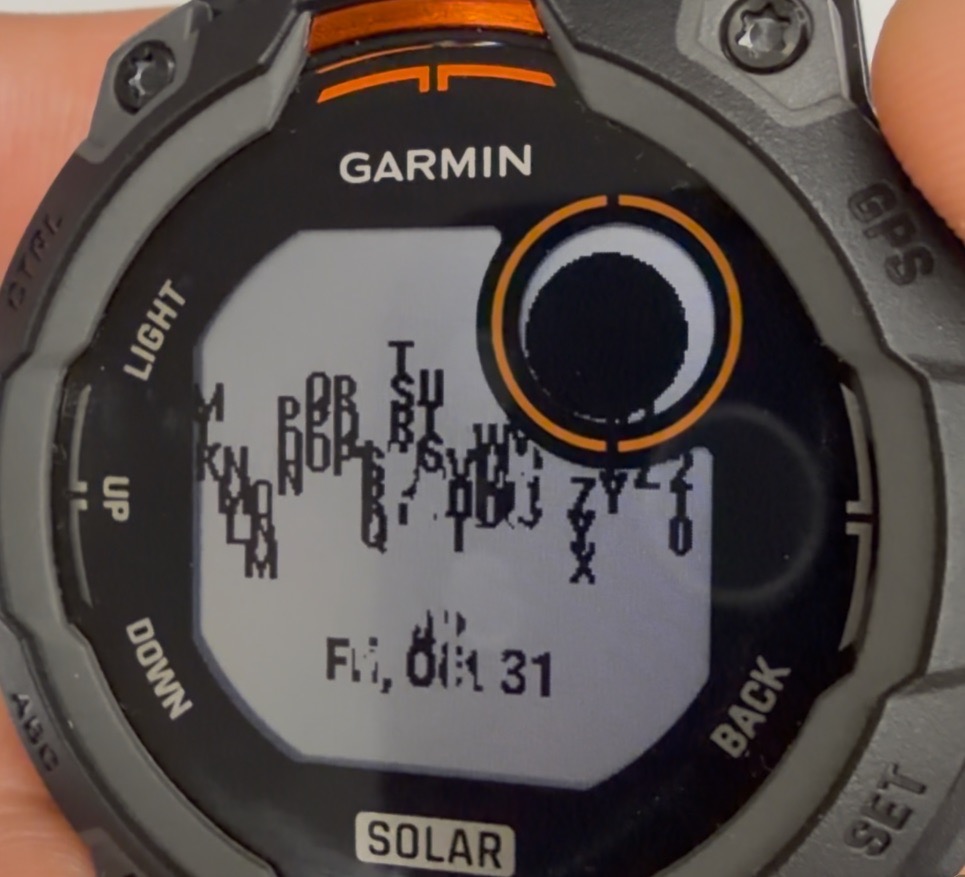
我有實驗一次,讓它顯示像是 Matrix 文字下落的動畫,以及我有顯示 ASCII 圖案在錶盤上。不過文字量到一個程度之後,手錶的顯示刷新速度就會慢下來。從此我就意識到,顯示的內容是需要經過精密的調教。
I experimented once with displaying a Matrix-style falling text animation and ASCII art on the watch face. However, once the amount of text reached a certain level, the watch’s display refresh rate slowed down. From then on, I realized that the displayed content needs to be carefully optimized.
Experimental screen showing Matrix-style falling text animation
我連續問了 AI 幾個問題:MIP 螢幕的顯示技術、要怎麼樣顯示這些數字螢幕的反應會比較快,以及我要怎麼樣使用自訂的字型等等問題。
I asked the AI several questions in succession: MIP screen display technology, how to make the digital screen respond faster, and how to use custom fonts, among other questions.
這裡我認為 Claude 的反應相當傑出。我之前只有使用過 Gemini 跟免費的 Grok-code-fast-1,感覺 Claude 的行為比較完善,會主動上網搜尋,也會解釋得比較完整(在這裡先不考慮結果是否準確,畢竟我要的是先打造一個原型)。
Here I think Claude’s response was quite outstanding. I had only used Gemini and the free Grok-code-fast-1 before, and Claude’s behavior felt more comprehensive—it would proactively search online and provide more complete explanations (accuracy aside, since I was just trying to build a prototype first).
例如在「自訂字型」這一塊,他甚至會建議我先下載 Roboto 來嘗試。當然這件事情不會第一次就成功,於是又給了我 Garmin 的網站,教我如何轉換字型(在這裡告訴大家,使用 Windows 轉換比較方便)。
For example, in the “custom fonts” area, it even suggested I download Roboto to try first. Of course, this didn’t work on the first attempt, so it gave me the Garmin website and taught me how to convert fonts (by the way, using Windows for conversion is more convenient).
The final completed watch face
總結與體會
Conclusion and Reflections
總結來說,這是我使用 Claude 的體驗,非常好,好到驚人的程度。不管是架構或是使用上的問題,甚至我不知道的問題,都可以請Claude解釋給我聽。至少以這個錶盤專案來說,他給的解釋也往往都能夠解決我的問題,而且我屢次撞到了 PRO 階級的 rate limit,可以看得出來有多上手。不管是後續的更新 README、技術解釋文件,都讓我非常驚艷。
In summary, my experience using Claude was very good—surprisingly good. Whether it was architectural questions, usage issues, or even problems I didn’t know I had, I could ask Claude to explain them. At least for this watch face project, the explanations often solved my problems, and I repeatedly hit the PRO tier rate limit, which shows how much I relied on it. Whether it was updating the README or technical documentation, I was thoroughly impressed.
可以說不管你有什麼樣的問題,先買下去八成就對了。記得要給 Claude 足夠的資訊,才能夠幫你爬梳這個專案的內容。
You could say that no matter what problem you have, subscribing is probably the right choice 80% of the time. Just remember to give Claude enough information to help you sort through the project content.
到最後,我會完成這個錶盤的專案嗎?我想應該不會,因為 Claude 已經讓我快速地打造這個原型,然後我也能夠體會到,需要進一步調教的話,例如錶盤元件的對齊問題、以及我尚未關注測試的耗電量問題,會需要非常大量的時間去測試。
In the end, will I complete this watch face project? Probably not, because Claude has already helped me quickly build this prototype, and I’ve come to realize that further refinement—such as fixing alignment issues with watch face elements and testing battery consumption, which I haven’t yet addressed—would require a tremendous amount of time.
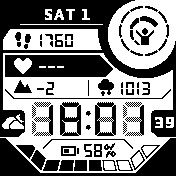
譬如說我現在喜歡使用的官方錶盤,上面有顯示大量的資訊,應該有用各種技巧去快速刷新顯示以及取捨,我想這個開發時間是以月來計算的。也難怪為什麼社群打造的錶盤,看起來設計都比較簡單。
For example, the official watch face I currently prefer displays a lot of information. It must use various techniques to quickly refresh the display and make tradeoffs. I think the development time is measured in months. No wonder community-built watch faces tend to have simpler designs.
The information-rich watch face I currently use
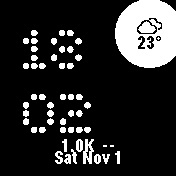
The watch face I made myself
更可以體會為什麼 GARMIN 產品線會改為 AMOLED,雖然我真的很喜歡 MIP 的電子錶感與太陽能充電功能。
I can better understand why GARMIN’s product line switched to AMOLED, although I really love the digital watch feel of MIP and the solar charging function.
還有網路上的 Watchface Builder 專案(https://garmin.watchfacebuilder.com) 現在更能體會到有多厲害了,真神人也。
Also, the Watchface Builder project online (https://garmin.watchfacebuilder.com) I can now truly appreciate how amazing it is. The creator is a genius.